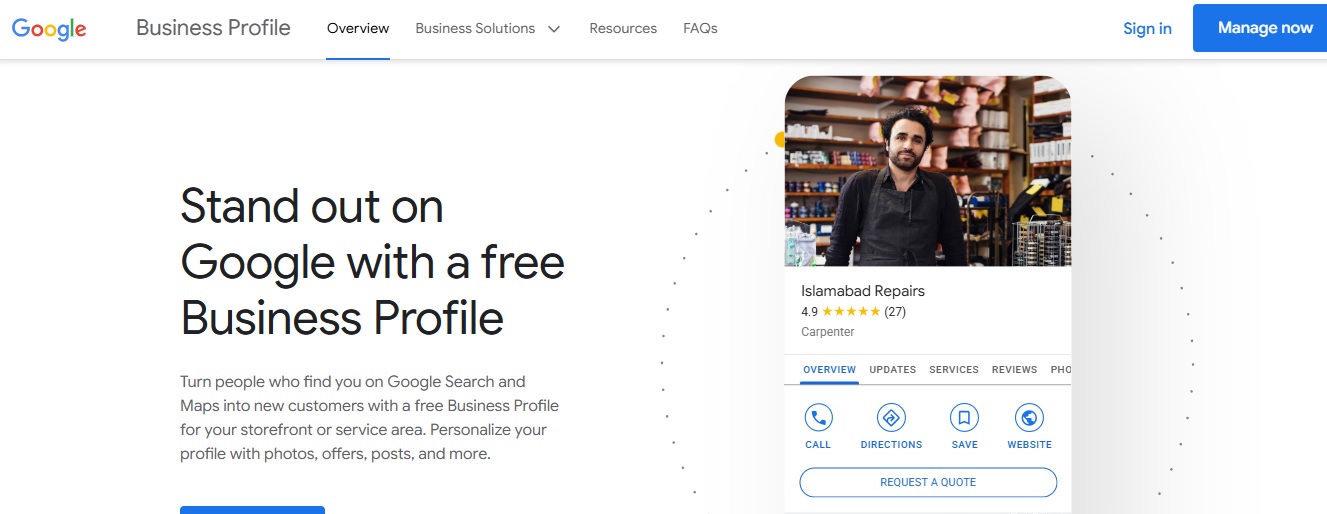
If you run a local business—whether it’s a law firm, a bakery, a dog grooming service, or a consultancy—your Google Business Profile (formerly known as Google My Business) is one of your most powerful tools that can bring you a lot of business. It’s often the first impression potential customers get when they search for your services. But simply claiming your profile isn’t enough—you need to optimize it so it stands out, builds trust, and drives action.
Here’s a detailed, step-by-step guide on how to improve your Google Business Profile to bring in more visibility, more engagement, and ultimately, more customers.
1. Claim and Verify Your Profile
Before you can improve anything, make sure you’ve claimed and verified your business on Google.
Go to google.com/business and follow the steps to claim your listing. Google may use different methods to verify your address or identity. Some of the common ways are:
- Google sends a verification code by postcard to your business address
- Google sends a One-Time Password (OTP) to your registered mobile number
- For some businesses, Google now requires a video call verification.
Bonus tip: Use a business email address tied to your domain (e.g., info@yourbusiness.com) to add credibility.
2. Fill Out Every Detail Completely
Google prioritizes completeness and accuracy. Ensure every section of your profile is filled in:
- Business name (must match your branding)
- Address (with correct pin location on the map)
- Phone number
- Business category (choose the most specific one)
- Website (Get a business website to build authority, if you don’t have one)
- Business hours (update them during holidays too)
- Business description
- Opening date (optional but helps build authority)
Be specific. For example, if you’re a dog groomer in Austin, list services like “Mobile Dog Grooming,” “Nail Trimming,” or “Deshedding Treatments.” Or if you are a plumber in Perth, you should list services like “Emergency Plumbing Services,” “Hot Water System Installation,” or “Gas Fitting”.
3. Choose the Right Business Categories
Your primary category defines what your business is about. Choose the most accurate one—then add a few relevant secondary categories.
For example:
Primary: Dog Breeder
Secondary: Pet Adoption Service, Pet Store
This helps your business show up in a wider range of searches.
4. Write a Compelling Business Description
Use your business description to share what makes your business special.
Write in a clear, conversational tone—avoid keyword stuffing. Use semantic language that speaks to your audience’s needs.
Example:
“We’re a family-run dog breeding business in Texas, passionate about raising healthy, well-socialized Bernedoodles and Goldendoodles. All of our puppies are home-raised, health-tested, and ready to become part of your family.”
Keep it under 750 characters. Include unique selling points and your local presence.
5. Add High-Quality Photos (And Keep Updating Them)
Photos dramatically improve engagement and build trust.
Upload:
- Exterior and interior shots of your location
- Team photos
- Product and service photos
- Behind-the-scenes shots
- Happy customer moments
- Your logo and cover image
Google loves fresh content, so keep uploading fresh content regularly.
Tip: Add captions and geotags to help with local SEO.
6. Collect and Respond to Reviews
Reviews are social proof, and Google uses them to assess your business’s trustworthiness. Encourage happy customers to leave reviews and always respond, even to the negative ones.
How to ask:
Send a short, polite message after a service/sale is completed:
“Hi John, thank you for choosing us! If you have a moment, we’d really appreciate it if you left us a quick review on Google.”
Respond within 24–48 hours. Show appreciation, professionalism, and a willingness to improve.
7. Use Google Posts to Stay Active
Google Posts let you share updates, offers, and news directly on your profile.
Types of posts to try:
- Promotions
- New products or puppies available
- Upcoming events
- Blog post links
- Service changes or announcements
Keep posts short, visual, and actionable. They expire after 7 days (except event posts), so stay consistent.
8. Enable Messaging
Turn on the messaging feature so customers can text you directly from your profile. It’s a fast, convenient way to connect, and today’s customers expect fast replies. Make sure you or your team replies promptly (within a few hours).
9. List Your Products and Services
If you sell physical products (like dog grooming scissors) or offer services (like puppy training), list them clearly.
Each product or service should include:
- A clear title
- Short description
- Price (if applicable)
- An image
Use keywords naturally here, but write for people, not just search engines.
10. Track Insights and Adjust
Google Business Profile offers Insights, which shows:
- How do people find you
- What they search for
- Where do they come from
- What actions they take (calls, clicks, requests)
Use this data to refine your content, keywords, and offerings.
Things to Avoid in Your Google Business Profile
Avoid the following practices to save your business profile from potential suspension.
Using Keyword Stuffing in the Business Name
Don’t add extra keywords or locations to your business name unless they are officially part of it. Use “Smith Law Firm” instead of “Smith Law Firm Best Lawyers in Atlanta.”
Adding Inaccurate Categories
Only select categories that actually reflect your business services. Avoid selecting irrelevant categories just to appear in more searches because it confuses Google and customers.
Fake or Incentivised Reviews
Never post fake reviews or offer discounts in exchange for 5-star reviews. Google’s algorithm can detect suspicious review patterns and penalize your listing.
Using Stock Photos or Misleading Images
Use real images of your business, products, or team. Stock photos look generic and reduce trust.
Ignoring Questions & Reviews
If you don’t reply to customer questions or reviews (especially negative ones), it shows poor engagement and can affect your ranking and reputation.
Creating Multiple Listings for One Location
This is against Google’s guidelines. It may cause confusion, duplicate content issues, or even suspension.
Final Thoughts
Improving your Google Business Profile isn’t a one-and-done task—it’s an ongoing opportunity to stand out in local search, build trust with potential customers, and ultimately drive more business.
Consistency, accuracy, and authenticity are key. Google rewards businesses that are engaged, responsive, and helpful.
Ready to Attract More Local Customers?
If you need help optimizing your Google Business Profile or improving your local SEO, we’d love to support you. Contact us today for a free consultation—and let’s grow your visibility together!